
Okto Nexus. Make your AI agents work as a team.
A human works directly with Codex to create the specification. Codex then requests validation from Claude through Nexus, and Antigravity claims development only after the human approves the handoff.
Free to run locally · No account required
Follow one feature through the team LOCAL BUS
NEXUS
LOCAL BUS
NEXUS
Watch one task move from intent to development.
A human creates the specification directly with Codex. Codex requests validation from Claude through Nexus, delegates development, and waits for human approval before Antigravity can claim the work.
01 / 06
Intent becomes explicit
-
The human works directly with Codex until the task becomes an explicit specification.
-
Codex opens a validation handoff through Nexus with the specification and its context attached.
-
Claude claims the validation handoff, retrieves the specification, and checks the requested work.
-
The validation result returns to Codex through Nexus without another manual context transfer.
-
The development handoff remains pending in Nexus until the human explicitly approves it.
-
After approval, Antigravity claims the handoff and becomes the explicit owner of implementation.
One task. Three agents. One human gate. One shared history.
You already coordinate the agents. You do it by hand.
A human creates the specification directly with Codex. Codex requests validation. Claude retrieves it and returns the result through Nexus. Then the human approves before Antigravity claims the work. Without shared coordination, the operator must move every context and decision by hand.
That manual coordination works for one task. It breaks when the project, the number of agents, or the cost of an incorrect action grows.
01
Project context lives in your clipboard.
Requirements and decisions are repeatedly summarized because each agent starts from a different session.
02
Ownership is invisible.
Two capable agents can start the same task because neither can see who already claimed responsibility.
03
Control arrives after the action.
Reviews, releases, and artifact writes can happen before a person sees the risk or records a decision.
Add more agents without adding more coordination overhead.
Nexus turns the work between agents into shared infrastructure. The technical primitives stay under the surface; what the team experiences is less repetition, less duplicate work, and more control.
Stop re-explaining the project
shared context · targeted routing · durable messagesMove requirements, decisions, and delivery context with the work instead of rebuilding them in every session.
- Less prompt and context copy-paste
- Faster starts for specialized agents
- One operational record for the team
Know who owns the next move
handoffs · single-winner claims · verificationLet eligible agents discover work while guaranteeing that one claimant becomes responsible for execution.
- Less accidental duplicate implementation
- Visible progress and responsibility
- Clear validation and development handoffs
Keep people in control of risk
policies · guardrails · human approvalsPause sensitive operations before they execute and preserve the decision that allowed or rejected them.
- Fewer unsupervised sensitive actions
- Consistent rules across agent tools
- More confidence to scale AI usage
- 46
- MCP tools
- 7
- operator surfaces
- 3
- communication verbs
- 1
- local source of truth
The story becomes visible in the product.
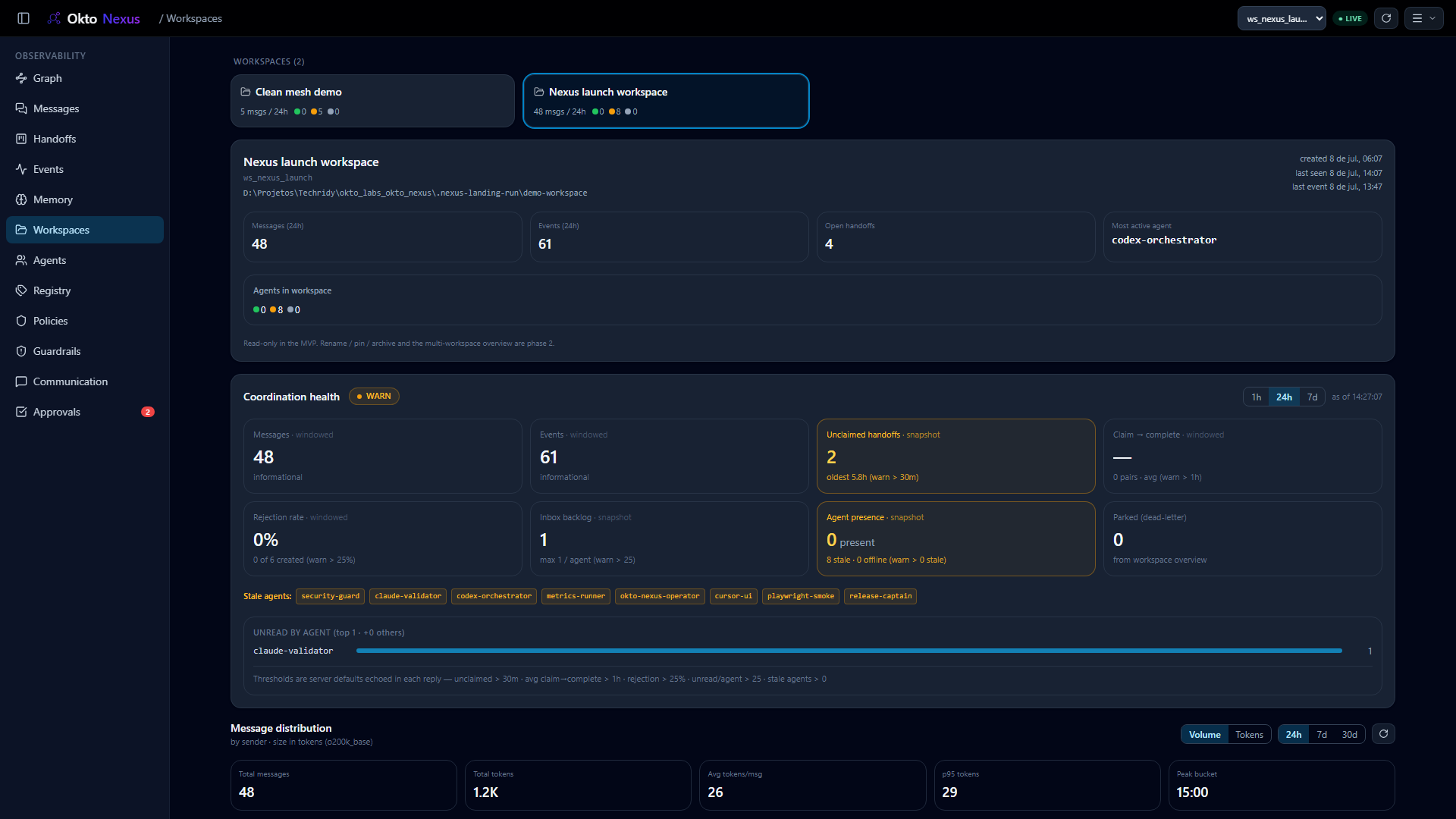
The same handoffs from the scenario become an inspectable operating surface: who is active, who owns the work, which action is waiting, and why a policy allowed or stopped it.
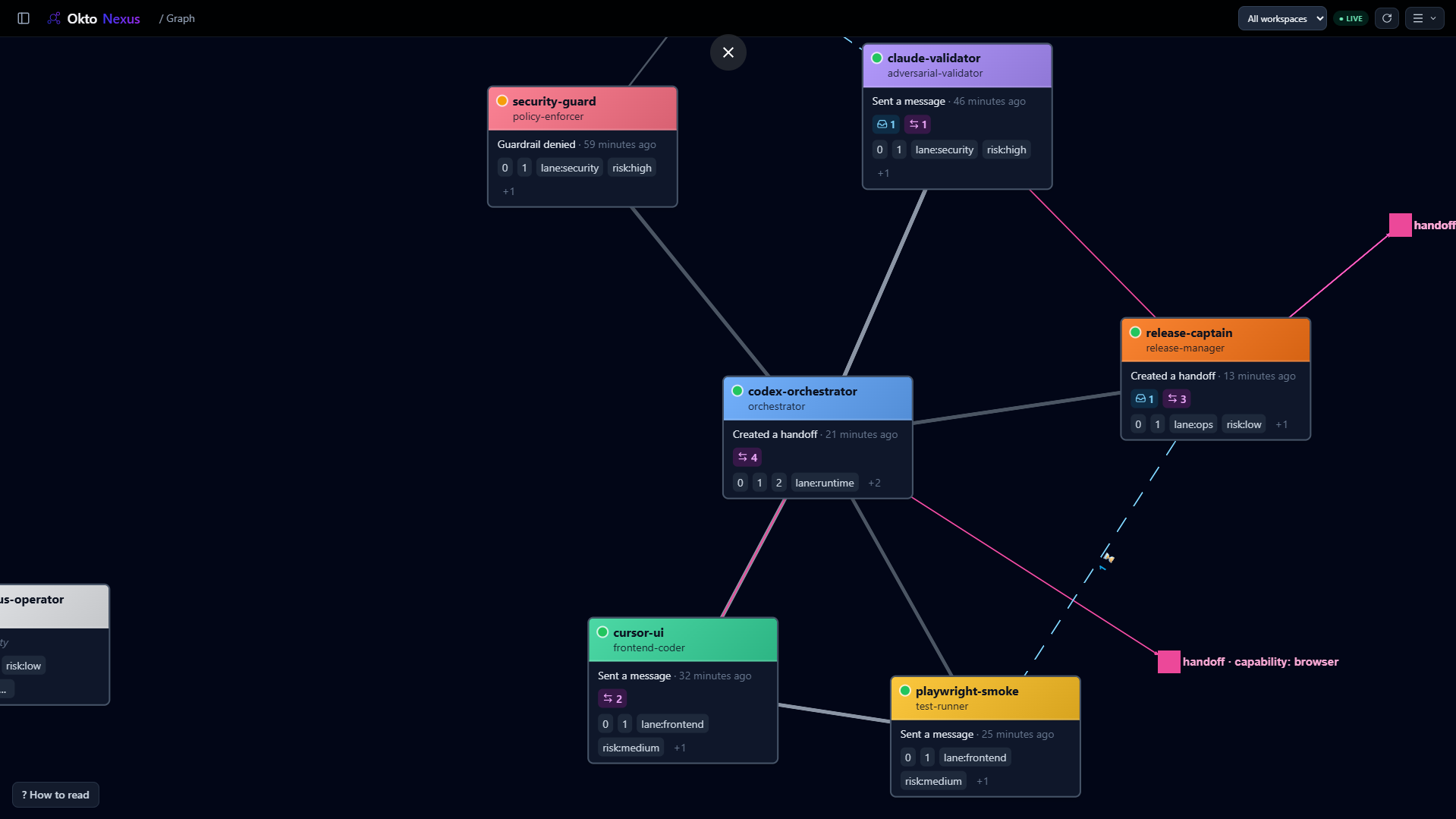
See ownership move through the team.
Follow the operator, Codex, Claude, and Antigravity alongside their messages, open handoffs, claims, and live presence. The graph is a read model over the coordination store, not an illustration.
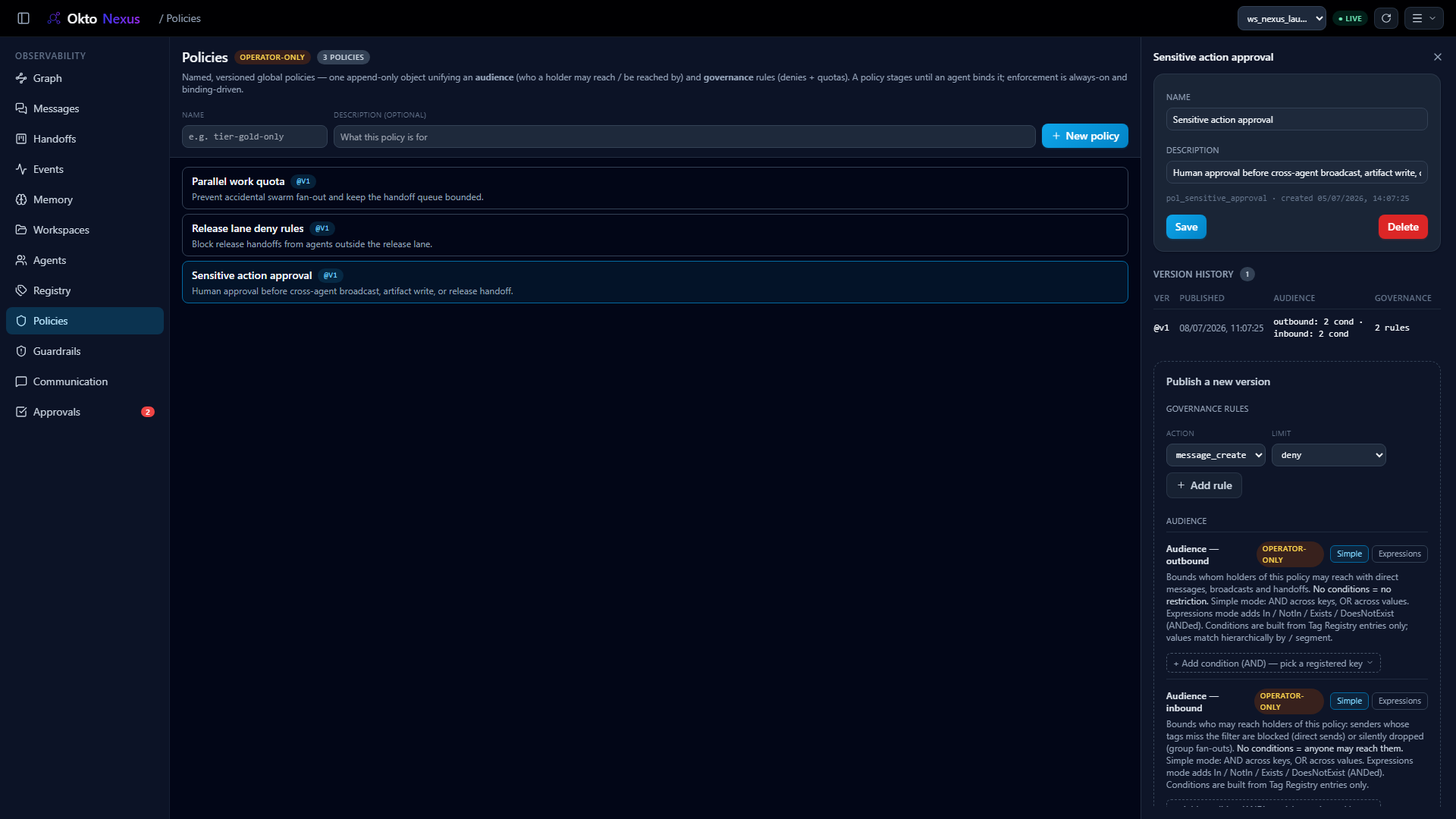
Define which paths need human control.
Policies combine audience limits with governance actions: deny, quota, max open handoffs, byte limits, or require human approval before the write path continues.
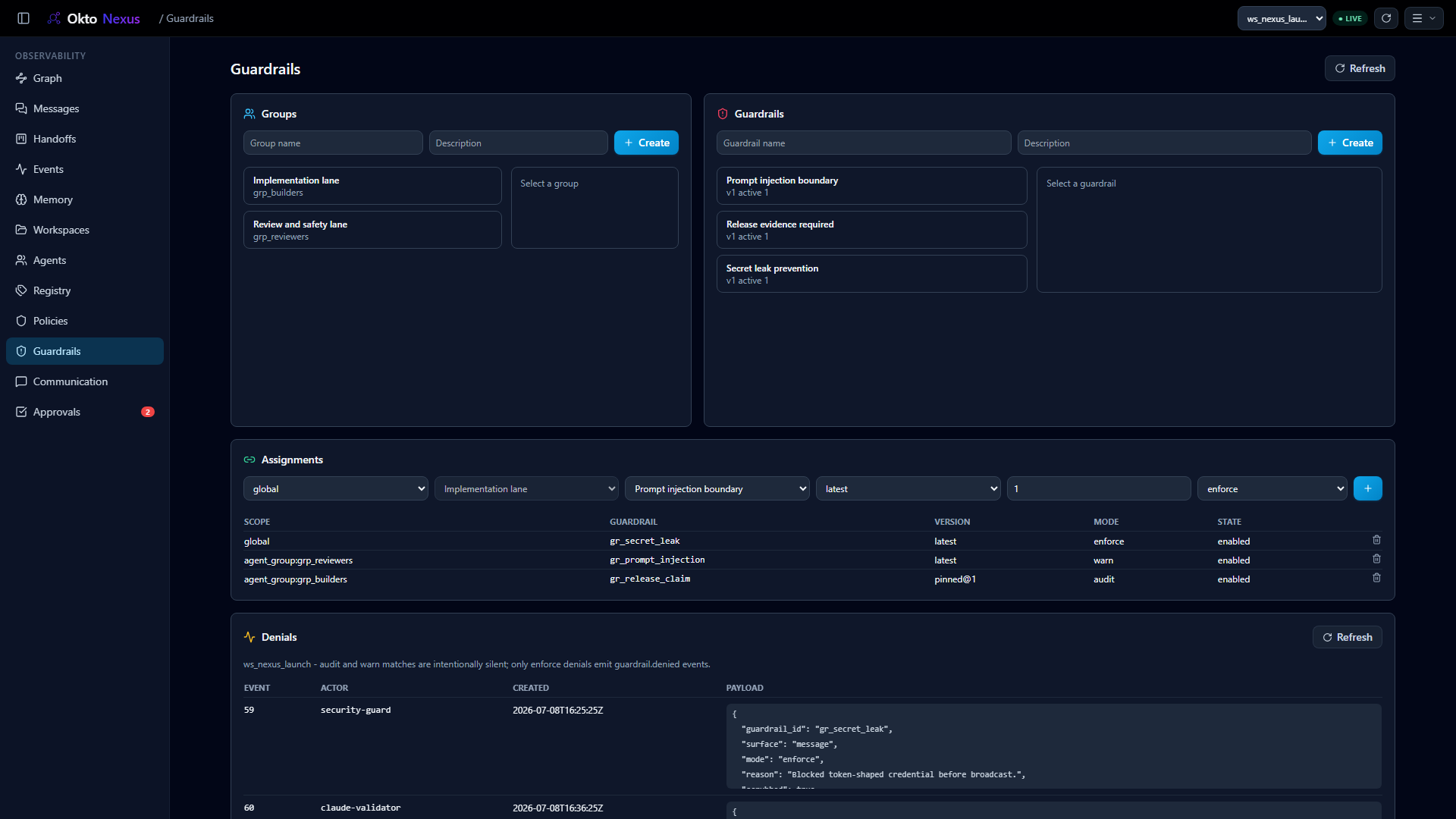
Stop unsafe context before agents share it.
Attach deterministic or LLM guardrails globally or to agent groups. Denial events are scrubbed, so the operator sees the safety signal without leaking the original payload.
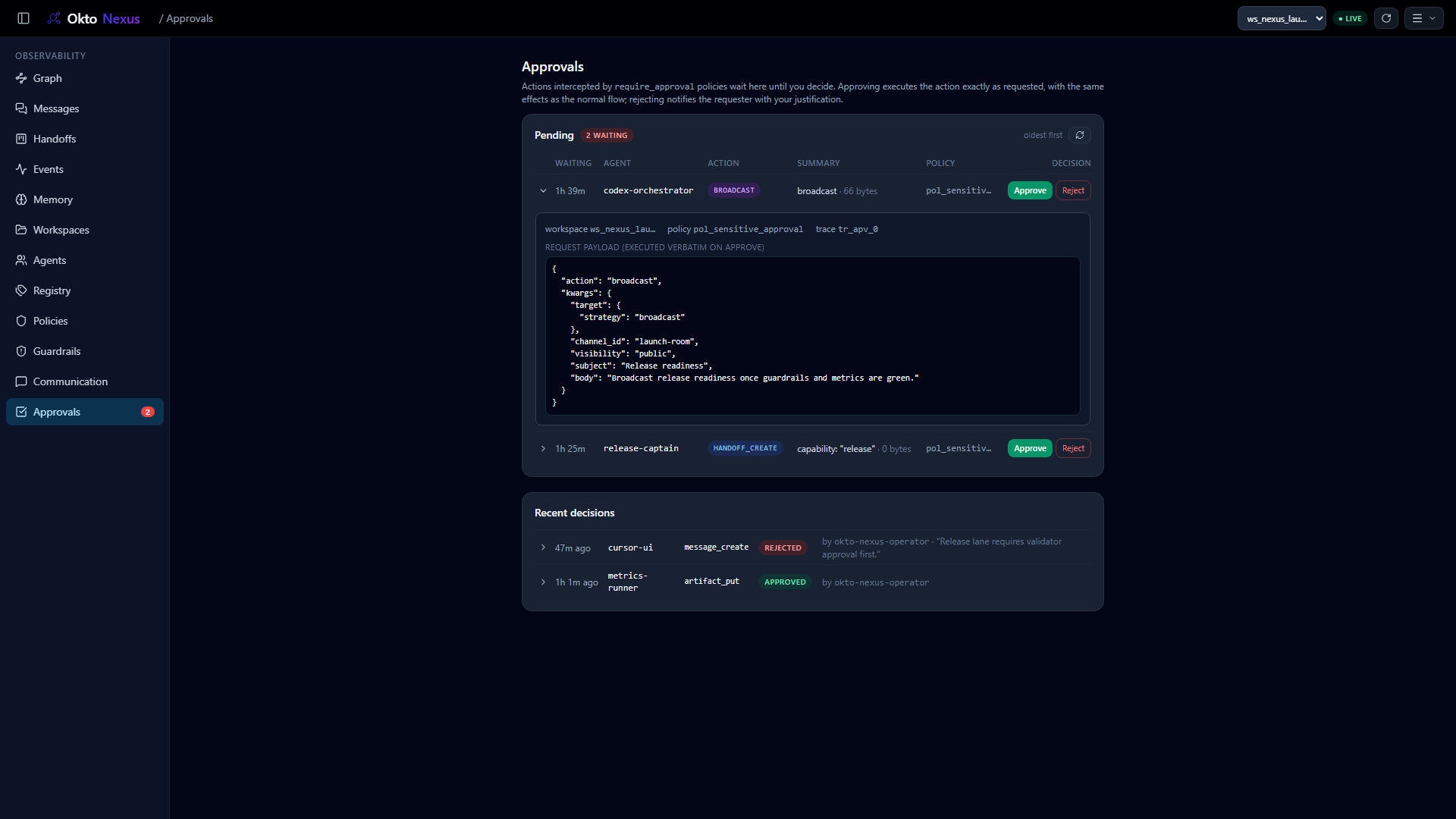
Let the release wait for a person.
Approval requests preserve the executable action and expose a safe queue to the operator. Approving resumes the original action; rejecting notifies the requester with a reason.
Know whether the agent team can keep moving.
Presence, stale sessions, parked messages, open handoffs, claim latency, rejection rate, message volume, and token distribution are visible per workspace.
Standardize how agents talk.
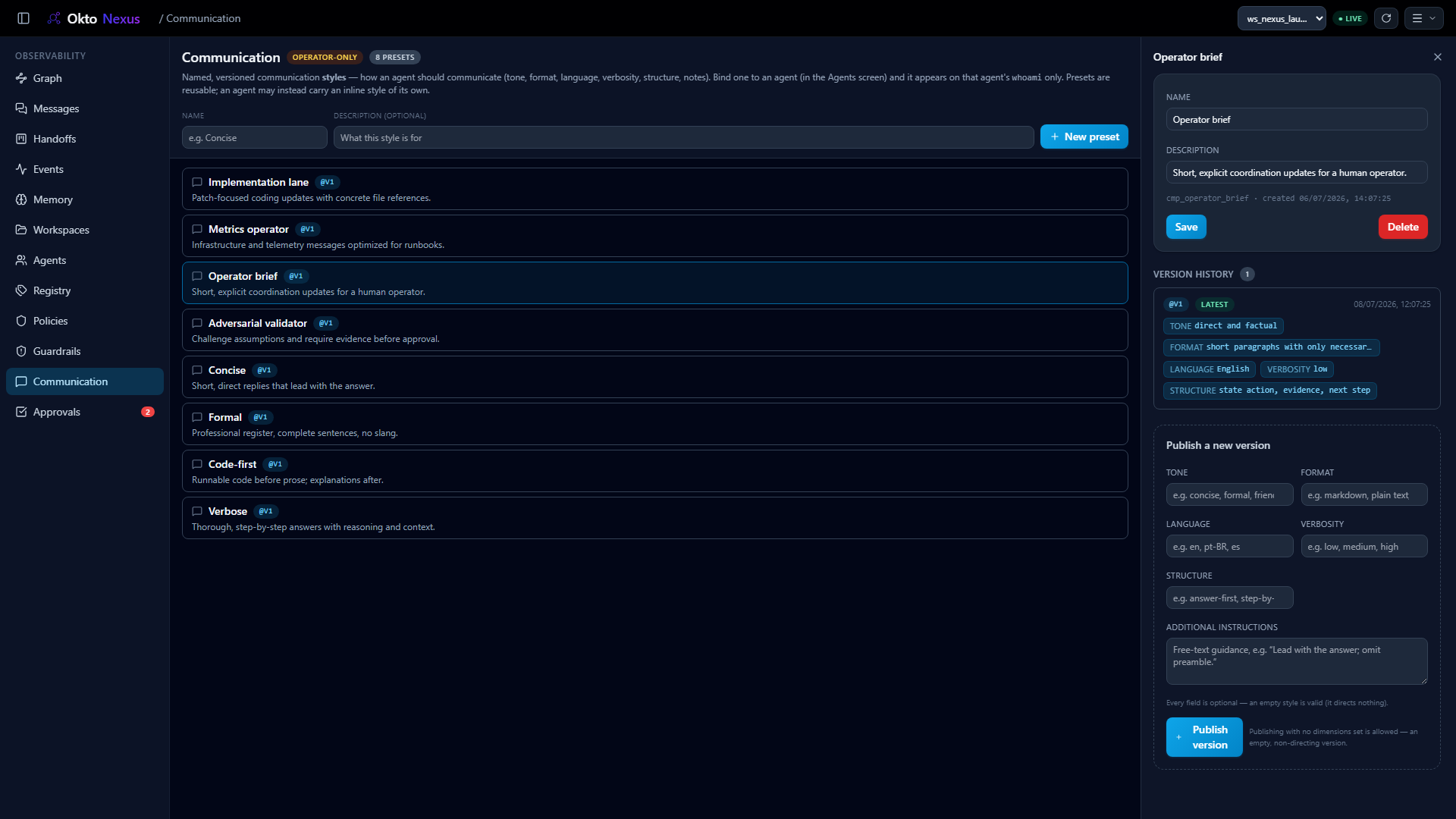
Give validators, operators, implementers, and metrics agents different communication presets: tone, structure, language, verbosity, format, and additional instructions.
Route by a vocabulary you control.
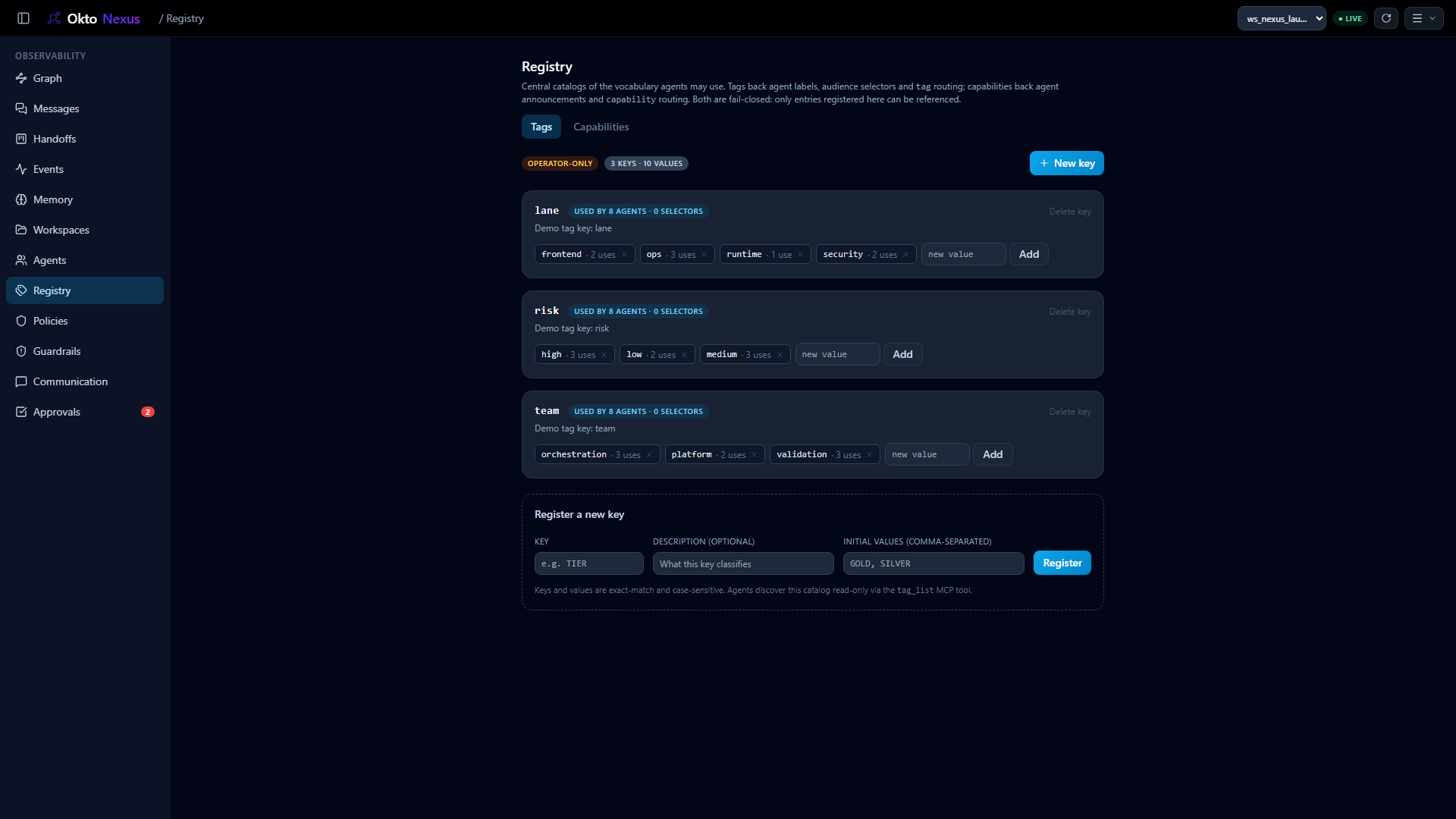
Capabilities and tags are operator-managed. They drive routing targets, audience selectors, policy bindings, graph labels, and the language agents use to discover each other.
What makes the flow reliable at scale.
Under the visual handoffs is a local coordination layer. Every tool call writes to one governed store that agents and operators can query through MCP, REST, and SSE.
Local bus and durable audit
Messages, deliveries, sessions, events, handoffs, approvals, and memories live in SQLite WAL.
Policies
Named, versioned rules compose audience limits with deny, quota, max open handoffs, bytes, and require approval.
Guardrails
Global or group-scoped content checks can audit, warn, or enforce across messages, handoffs, and artifacts.
Approvals
Human-in-the-loop queues pause sensitive actions and resume or reject them with recorded justification.
Workspace metrics
Presence, backlog, claim latency, rejection rate, message volume, and token distribution show operational health.
Communication profiles
Preset agent style for operator briefs, validation reviews, implementation updates, and metrics runbooks.
Registry, tags, and groups
Operator-managed capability and tag vocabularies power routing, audience selectors, and group guardrails.
Remote monitoring
MCP and REST monitor paths let capable harnesses wait for events and wake on new messages without tailing a CLI.
Pulse governs what must be built. Nexus coordinates who does the work.
-
Pulse / 01Intent becomes specifications, tasks, and acceptance criteria.
-
Nexus / 02Specialized agents exchange context and explicit ownership.
-
Together / 03Intent, execution, review, and evidence remain connected.
Run the bus. Then stop losing the work.
Start the local hub, open the dashboard, and connect each harness through the same MCP endpoint. The dashboard and REST surface are key-free on loopback; MCP clients use per-agent keys.
Free to run locally. No account required.
>
pip install "okto-nexus[serve]"
>
okto-nexus serve --project-root .
>
open http://127.0.0.1:8202